OpenUsage WebUI & CLI
Added Ubuntu/Linux support to OpenUsage by replacing its macOS-only Tauri menu bar shell with a Bun server, React WebUI, and terminal CLI status workflow.
OpenUsage WebUI & CLI
OpenUsage is an open-source tool for monitoring coding agent and AI coding subscription usage, but the original application targets macOS through a Tauri menu bar app. My contribution was to make that workflow practical on Ubuntu and other Linux systems by adding a local WebUI and a terminal-first CLI mode.
Key Contributions
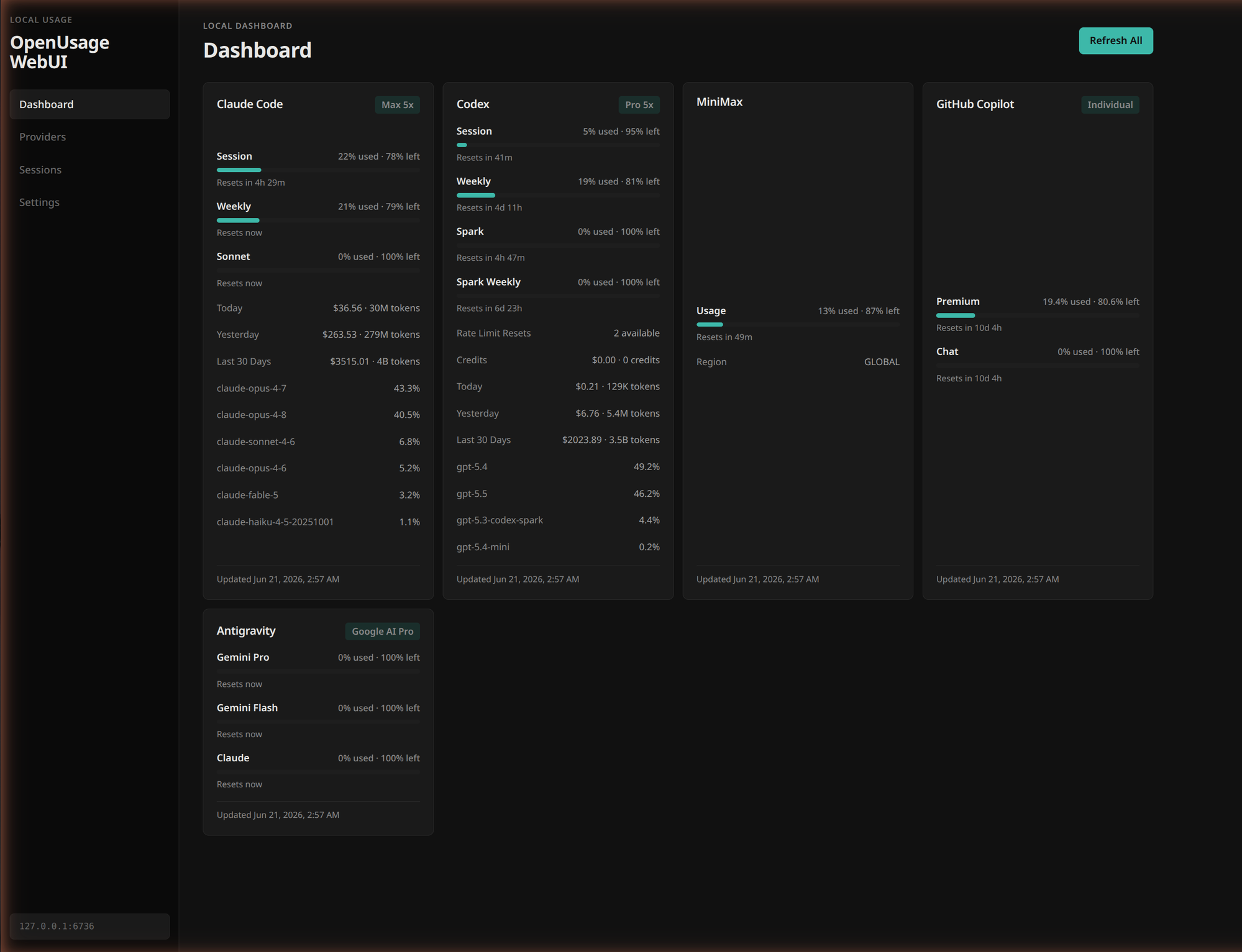
- Ubuntu/Linux Support: Replaced the macOS-only Tauri shell with a Bun HTTP server and React WebUI that runs locally on Linux.
- WebUI and CLI Modes: Added both a browser dashboard and terminal status commands, matching how agentic coding users switch between dashboards and shell-first workflows.
- Plugin Host Adaptation: Preserved OpenUsage’s provider plugin model while adding Linux host shims for HTTP, SQLite, keychain, filesystem, crypto, and formatting APIs.
- Terminal-First Usage Checks: Added
ou-statusand refresh commands with ANSI progress bars, so usage can be checked without leaving a coding session. - Local Data Runtime: Stored WebUI data under
~/.openusage-webuiwith local SQLite, config files, and provider keychain shim storage.
Technical Notes
The core work was not rewriting OpenUsage’s product idea. It was adapting the host layer so the same AI usage monitoring workflow can run outside macOS. The fork keeps the plugin-based model, but swaps the platform shell for a Linux-compatible WebUI and CLI runtime.
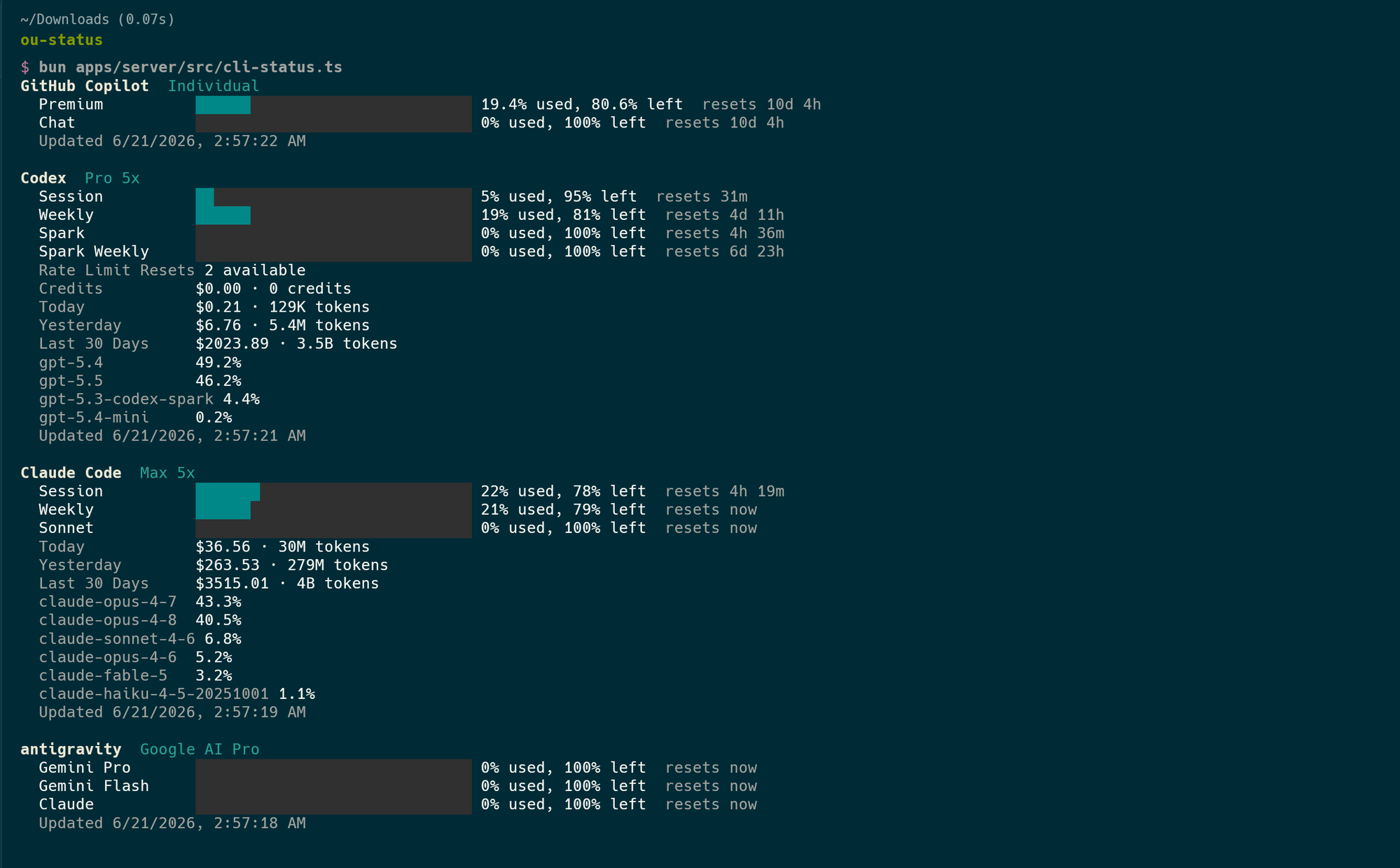
The CLI mode is designed for agentic coding sessions where developers already live in the terminal. It prints usage summaries with colored progress bars and can refresh provider data before rendering the status view.